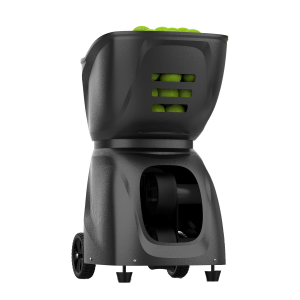
Padelshooter General (2024-now)
Version 2.1.5 (July 2026)
Padelshooter – General Version 2.1.5
The Padelshooter General app is now available on Google Play. Install it from there to receive updates automatically. The Android App button below installs the same version manually (APK).
“AI – Drill Builder”
This app version is like the earlier version 2.1.3 with the possibillity to upgrade the machine software for the latest Padelshooters (from April 2026) by app. Earlier Padelshooters first need an upgrade by shipping the machine to us. You can check if your Padelshooter has this upgrade version by checking the Main screen (below the App version. If it shows the model (MX for MAX or SM for Smart or SP for Smart Pro).
A great new feature for the Padelshooter is the “AI – Drill Builder”. You always could create your own trainings in the Programs screen or download ready made programs via the Settings screen, which are then loaded and available in the Programs screen, but for some this wasn’t very easy. Now, with the “AI – Drill Builder”, you select if you want to train:
1. A single shot
2. Several kind of shots (f.e. Bandeja and Volley) that are shot sequentially after each other (Mixed)
3. Several kind of shots (f.e. Volley and Bandeja and Bajada) that are more “random” after each other (Rally)
Then select the shots you want to train: Bandeja, Vibora, Smash, Rulo, Bajada, Volley, Backglass, Corner
And select features like the side (Left/Right/Full court), 1 or 2 players, the number of shots for each kind of shot (Short/Medium/Long), Intensity (the level Easy/Normal/Hard) and if you want the balls on just 1 position (Fixed) or at different positions (Variable).
Then, select “Generate” and you have automatically the training you want.
–> Because the AI – Drill Builder could generate longer programs with more than 20 shots, the latest software on the machine needs an upgrade (is automatically informed when starting the app, you should press the orange button, let the upgrade run, could take 10-15 minutes and after you hear some beeps and the wheels moved to the left and to the middle as a normal startup, the upgrade is finished). The maximum number of shots is now 50 shots.
Version 2.1.3 (April 2026)
Padelshooter – General Version 2.1.3
“Padelshooter upgrade via app”
This app version is like the earlier version 2.1.2 but it can upgrade the latest Padelshooters (from April 2026) by app. Earlier Padelshooters first need an upgrade by shipping the machine to us. You can check if your Padelshooter has this upgrade version by checking the Main screen (below the App version. If it shows the model (MX for MAX or SM for Smart or SP for Smart Pro).
– The Settings screen has an extra upgrade button which makes it possible to install new Padelshooter software on the machine.
– In Main screen, the Padelshooter machine version software is displayed.
– When starting the app, the app checks if there is a newer version. If so, a message is displayed if you want to upgrade. This takes 10 minutes so you can do it later if you are on the padelcourt. If you choose to upgrade, press the button and that new version will be installed. Don’t turn off the machine during this upgrade and wait till the machine restarts.
– Earlier Padelshooters can still work well with this app version (only no Upgrade possibillity), so it can be used for all Padelshooter models (except Padelshooter 1.
Version 2.1.2 (April 2026)
Padelshooter – General Version 2.1.2
Smarter. More visual. Ready for any court.
We’ve refined the Padelshooter experience from the ground up. Whether you’re a coach, a club manager, or a dedicated player, version 2.1.2 gives you more control, clearer feedback, and total flexibility – online or offline.
WHAT’S NEW IN VERSION 2.1.2
iPhone Import/Export Fix
The issue with importing and exporting settings on the Trainings screen has been resolved. Seamless setup sharing is back.
Two Critical Status Icons (Top Bar)
Bluetooth Signal Strength – Know exactly when you’re reaching critical distance from your Padelshooter.
Battery Level – Monitor remaining energy at a glance (requires machine software upgrade).
Interactive “i” Icons – Now on Every Training Screen
Tap the “i” icon to see:
Extra technical explanations
Machine position on a padel court
Target direction for that specific drill
Especially useful on the Programs screen – add your own notes and visual guidance for custom drills.
Tennis Mode Added
Switch the machine to Tennis mode and the app will:
Show tennis court trainings
Unlock higher speed ranges for tennis training
Smart Notifications – Ball Empty or Jam
You’ll now receive a clear message when:
The ball hopper is empty
A ball blockage is detected
Includes safety instructions (requires machine software upgrade).
More Languages – Now with Norwegian
The app speaks even more languages. Norwegian has been added to the growing list.
OFFLINE PROGRAMMING – NO BLUETOOTH? NO PROBLEM
The Programs screen now works completely offline. Create, edit, and save your own custom drills anywhere – in the locker room, at home, or on the road. Changes sync automatically once you reconnect.
Checks for valid values entered
Confirmation messages when programs are downloaded to the machine
SMART PRO SUPPORT
Full integration for the brand-new Padelshooter Smart Pro model – ready from day one.
HOW IT WORKS: INTELLIGENT RECOGNITION
Connect once. The app automatically detects your machine by its Bluetooth name:
PADELSHOOTER-3A / -3B / -SM / -MX / -SP
The interface and available settings instantly adapt to your model’s exact capabilities.
Important for older models
This app is calibrated for high-precision speed control on Smart, 3B, MAX, and Smart Pro models.
If you own an older Padelshooter, speed values may vary. When restoring settings from the Web, we recommend manually lowering speed values slightly for optimal performance.
MULTI-MACHINE MODE – TRAIN ACROSS MULTIPLE COURTS
The app now detects multiple Padelshooters on the same court or nearby courts.
How it works:
When more than one Padelshooter is found, the app will clearly notify you and ask:
“Multiple machines detected. Connect to both?”
What you can do:
Run the same training program simultaneously on two or more machines
Ideal for coaches and academies running identical drills on several courts at once
Save time – set up once, execute everywhere
Perfect for:
Group training with multiple lanes or courts
Parallel sessions where players follow the same drill
Efficient use of multiple machines without switching between them
Note: Both machines must support Bluetooth connectivity. For best results, use identical or compatible Padelshooter models (Smart, 3B, MAX, Smart Pro).
DOWNLOAD & RESOURCES
Android – Now available on Google Play (the button below installs this specific version)
iPhone – Search for “Padelshooter” in the Apple App Store
Manual – Digital user manual with setup guides and training tips included in the app
Version 2.1.2 – Train smarter. Anywhere. On any court. With one machine – or many.
Version 2.0 (January 2026)
Padelshooter General App – One App for All Models Now available for Android on Google Play and for iPhone in the Apple App Store (search “Padelshooter”).
The new Padelshooter General App offers a unified experience for all Padelshooter users. Whether you own an entry-level machine or the latest Smart Pro, this app automatically optimizes itself for your specific model.
What’s New in This Version?
Offline Programming: The ‘Programs’ screen is now accessible without an active Bluetooth connection. Create, edit, and save your custom drills anywhere, anytime.
- Checks for valid values entered
- Confirmation messages: for programs downloaded
Smart Pro Support: Full integration for the brand-new Padelshooter Smart Pro model.
Interactive “i” Icons:
Start Here & Trainings: Get instant visual guidance on ball positions and target directions with added technical explanations.
Programs: View details for your own created or downloaded programs. Users can now customize and save this information themselves.
Advanced Status Monitoring:
Signal Strength: A new icon shows the real-time Bluetooth connection quality.
Battery Level (*): Monitor your machine’s remaining energy with a precise battery icon.
Smart Notifications (*): Receive instant alerts if the machine stops due to an empty hopper or a detected ball jam (includes safety instructions).
(*) These features require the latest firmware (January 2026). Upgrades are available for most Padelshooter models.
How It Works: Intelligent Recognition Our unified app is built to be smart. Upon connection, the app identifies your machine via its Bluetooth name (e.g., PADELSHOOTER-3A, -3B, -SM, -MX, or -SP) and instantly adjusts the interface and settings to match your model’s capabilities.
Important Note for Older Models: This app is calibrated for the high-precision speed control found in our newest generation (Smart, 3B, MAX, and Smart Pro). If you are using an older Padelshooter model, please be aware that speed settings may vary. When recovering settings from the Web, we recommend manually lowering the speed values slightly to ensure optimal performance.
Download Options
Android: Now available on Google Play (the button below installs this specific version)
iPhone: Search for “Padelshooter” in the Apple App Store.
Manual: Access the digital user manual for setup guides and training tips.
Version 1 (April 2025)
Padelshooter General App – One App for All Models, this version also in Apple Store (search “Padelshooter” for latest iPhone app)
What’s New in Version 2.1.2
iPhone Import/Export Fix
The issue with importing and exporting settings on the Trainings screen has been resolved. Seamless setup sharing is back.
Two Critical Status Icons (Top Bar)
Bluetooth Signal Strength – Know exactly when you’re reaching critical distance from your Padelshooter.
Battery Level – Monitor remaining energy at a glance (requires machine software upgrade).
Interactive “i” Icons – Now on Every Training Screen
Tap the “i” icon to see:
Extra technical explanations
Machine position on a padel court
Target direction for that specific drill
Especially useful on the Programs screen – add your own notes and visual guidance for custom drills.
Tennis Mode Added
Switch the machine to Tennis mode and the app will:
Show tennis court trainings
Unlock higher speed ranges for tennis training
Smart Notifications – Ball Empty or Jam
You’ll now receive a clear message when:
The ball hopper is empty
A ball blockage is detected
Includes safety instructions (requires machine software upgrade).
More Languages – Now with Norwegian
The app speaks even more languages. Norwegian has been added to the growing list.
Offline Programming – No Bluetooth? No Problem
The Programs screen now works completely offline. Create, edit, and save your own custom drills anywhere – in the locker room, at home, or on the road. Changes sync automatically once you reconnect.
Checks for valid values entered
Confirmation messages when programs are downloaded to the machine
Smart Pro Support
Full integration for the brand-new Padelshooter Smart Pro model – ready from day one.
How It Works: Intelligent Recognition
Connect once. The app automatically detects your machine by its Bluetooth name:
PADELSHOOTER-3A / -3B / -SM / -MX / -SP
The interface and available settings instantly adapt to your model’s exact capabilities.
Important for older models
This app is calibrated for high-precision speed control on Smart, 3B, MAX, and Smart Pro models.
If you own an older Padelshooter, speed values may vary. When restoring settings from the Web, we recommend manually lowering speed values slightly for optimal performance. The earlier Padelshooter 3A can now be upgraded to have the same sensor parts as the 3B for better and constant speed control, ask for it!
Multi-Machine Mode – Train Across Multiple Courts
The app now detects multiple Padelshooters on the same court or nearby courts.
How it works:
When more than one Padelshooter is found, the app will clearly notify you and ask:
“Multiple machines detected. Connect to both?”
What you can do:
Run the same training program simultaneously on two or more machines
Ideal for coaches and academies running identical drills on several courts at once
Save time – set up once, execute everywhere
Perfect for:
Group training with multiple lanes or courts
Parallel sessions where players follow the same drill
Efficient use of multiple machines without switching between them
Note: Both machines must support Bluetooth connectivity. For best results, use identical or compatible Padelshooter models (Smart, 3B, MAX, Smart Pro).
Download & Resources
Android – Now available on Google Play (the button below installs this specific version)
iPhone – Search for “Padelshooter” in the Apple App Store
Manual – Digital user manual with setup guides and training tips included in the app
Version 2.1.2 – Train smarter. Anywhere. On any court. With one machine – or many.
Padelshooter 1 (2022-2023)
Version 0.1.0.18 (september 2024)
The Padelshooter 1 use original bluetooth and couldn’t work with the other Padelshooter apps (bluetooth low energy). Also Apple doesn’t support original bluetooth so an iPhone app is not possible. The app is different but functional the same as the Padelshooter 3A and so the manual of the Padelshooter 3A is used for this app as well, even though the manual describes some small differences in hardware, don’t use this for the Padelshooter 1. Because the positioning for (Left / Right side) is different than in the newer machines, it takes a few seconds longer when every training starts. Just like the other new apps, there is no Config screen anymore for setting the preferred settings, also the settings could be changed with “^” and “v” buttons (short press change 1, long press change 10, also possible to type the values). The settings could be changed before pressing “Play” button, the latest settings are automatically stored for every training next time(s), so you only need to change once what you prefer. There are now 15 languages supported, the settings and programs could be shared with others (export, import and import default settings from padelshooter.com) and there are some buttons for positioning the Padelshooter. Especially positioning only at right side or left side is useful because you can better use the whole side (also the side walls). Even though the Padelshooter is meant for padel, there is a setting to set for tennis, so the speed is more suitable for playing on a tennis court.
Version 6.2 (september 2023)
The Padelshooter 1 use original bluetooth and couldn’t work with the other Padelshooter apps (bluetooth low energy). Also Apple doesn’t support original bluetooth so an iPhone app is not possible. The app is different but functional the same as the Padelshooter 3A and so the manual of the Padelshooter 3A is used for this app as well, even though the manual describes some small differences in hardware, don’t use this for the Padelshooter 1. Because the positioning for (Left / Right side) is different than in the newer machines, it takes a few seconds longer when every training starts. Just like the other new apps, there is no Config screen anymore for setting the preferred settings, also the settings could be changed with “^” and “v” buttons (short press change 1, long press change 10, also possible to type the values). The settings could be changed before pressing “Play” button, the latest settings are automatically stored for every training next time(s), so you only need to change once what you prefer. There are now 15 languages supported, the settings and programs could be shared with others (export, import and import default settings from padelshooter.com) and there are some buttons for positioning the Padelshooter. Especially positioning only at right side or left side is useful because you can better use the whole side (also the side walls). Even though the Padelshooter is meant for padel, there is a setting to set for tennis, so the speed is more suitable for playing on a tennis court.
