
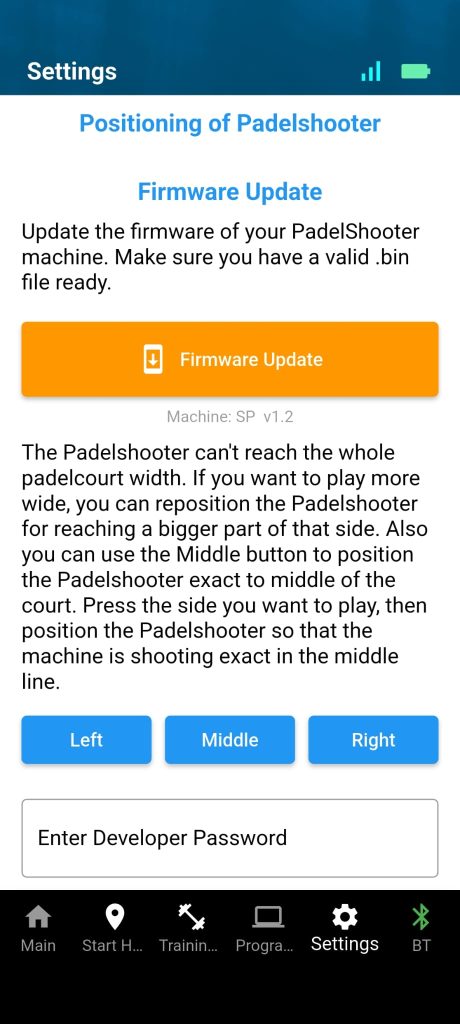
PadelShooters delivered from mid-April 2026 onwards can now receive software updates directly via the app. You no longer need to send your machine back for a software update — you can do it yourself, at home, in about 10 minutes.
How Does It Work?
When a new software version is available for your PadelShooter, you will see a notification when you open the app. A button will also appear on the welcome screen to start the update. Tap it, follow the steps, and the machine will restart automatically once the update is complete.
Before You Start
- Make sure you have a WiFi connection — do not start the update on the padel court or anywhere without reliable WiFi
- The update takes about 10 minutes — don’t start it right before a training session
- Stay within 1–2 metres of the machine during the entire update process
Is It Safe?
Yes. The update is safe to cancel if needed, but it is better to simply let it finish. The machine will restart automatically with the new software once the update is complete.
Android and iPhone
The update functionality is built into the PadelShooter General app itself, so it works from both the Android and the iPhone version. Just make sure you are running the latest app version: Google Play for Android, or search for “Padelshooter” in the Apple App Store for iPhone.
What Changes With the Update?
No major changes are expected — the PadelShooter software is stable and works well. The update functionality itself is the main new feature: the ability to keep your machine up to date without any hassle.
Full Instructions
For step-by-step instructions, download the update manual below: